What Is a Dynamic Game State Token?
A dynamic game state token is a new Aruba token type that incorporates GameStateBrowser data. Users configure what type of game object the token should look for and what data to display in the bug (i.e. player health, weapon type, etc). Upon creating the bug with this token, Aruba will connect to the game and retrieve the specified game object (if it exists) and display that data.
Token Explorer Updates
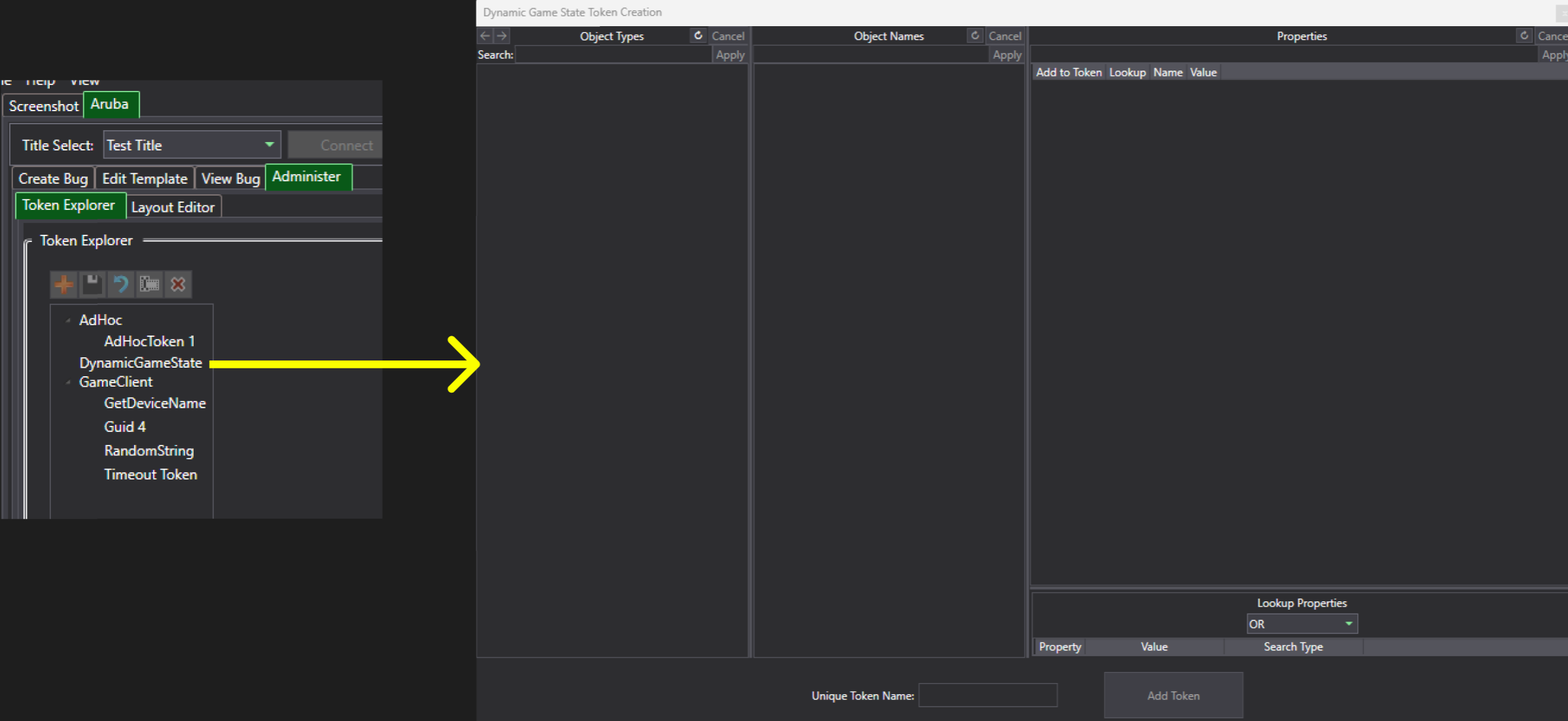
There is a new token type “DynamicGameState”, upon selecting it, a new window will pop up that looks similar to the UI in game state browser:
Overview of Token Creation Window
This is the dynamic game state token creation window. By pressing the refresh icon (aka the spiral arrow), it will update the respective columns with game state data just like game state browser. For those that are not familiar with that UI however, the “Object Types” column refers to class hierarchy for different game objects, whereas the middle column “Object Names” lists all the game objects of a selected type. The rightmost “Properties” column then displays all the data fields on a selected game object - this is the data that we want to configure for our token:
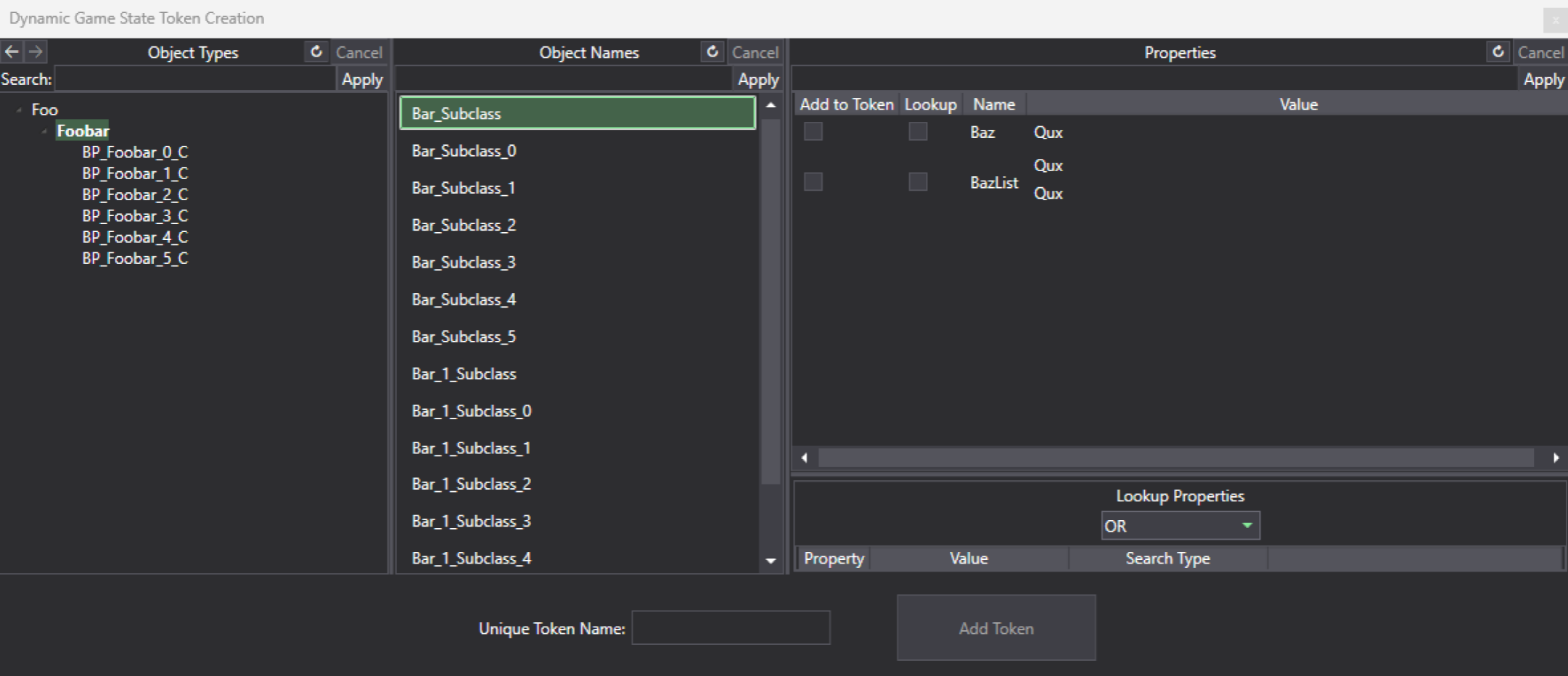
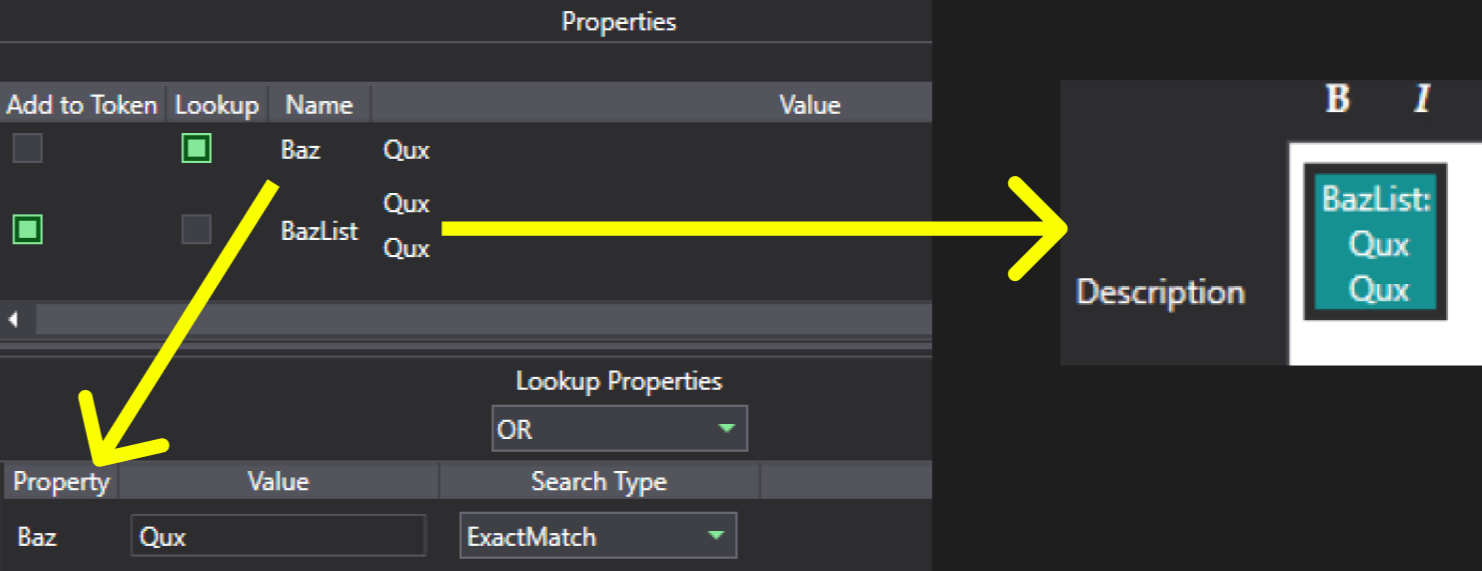
The main difference with this UI and the UI in game state browser is the “Add to Token” & “Lookup” columns in the Properties section, as well as the Lookup Properties section in the bottom right. A field that has “Add to Token” checked will have its data retrieved from the game and displayed when the bug is created. The “Lookup” field on the other hand is used to say “I want to find this type of game object when creating the bug, and it should have this value on X property”. In the example below, our lookup property is “Baz” and the data from the BazList property will be displayed in the Bug (image on the right is how it will currently appear once we eventually create the bug):
Lookup Property Configurations
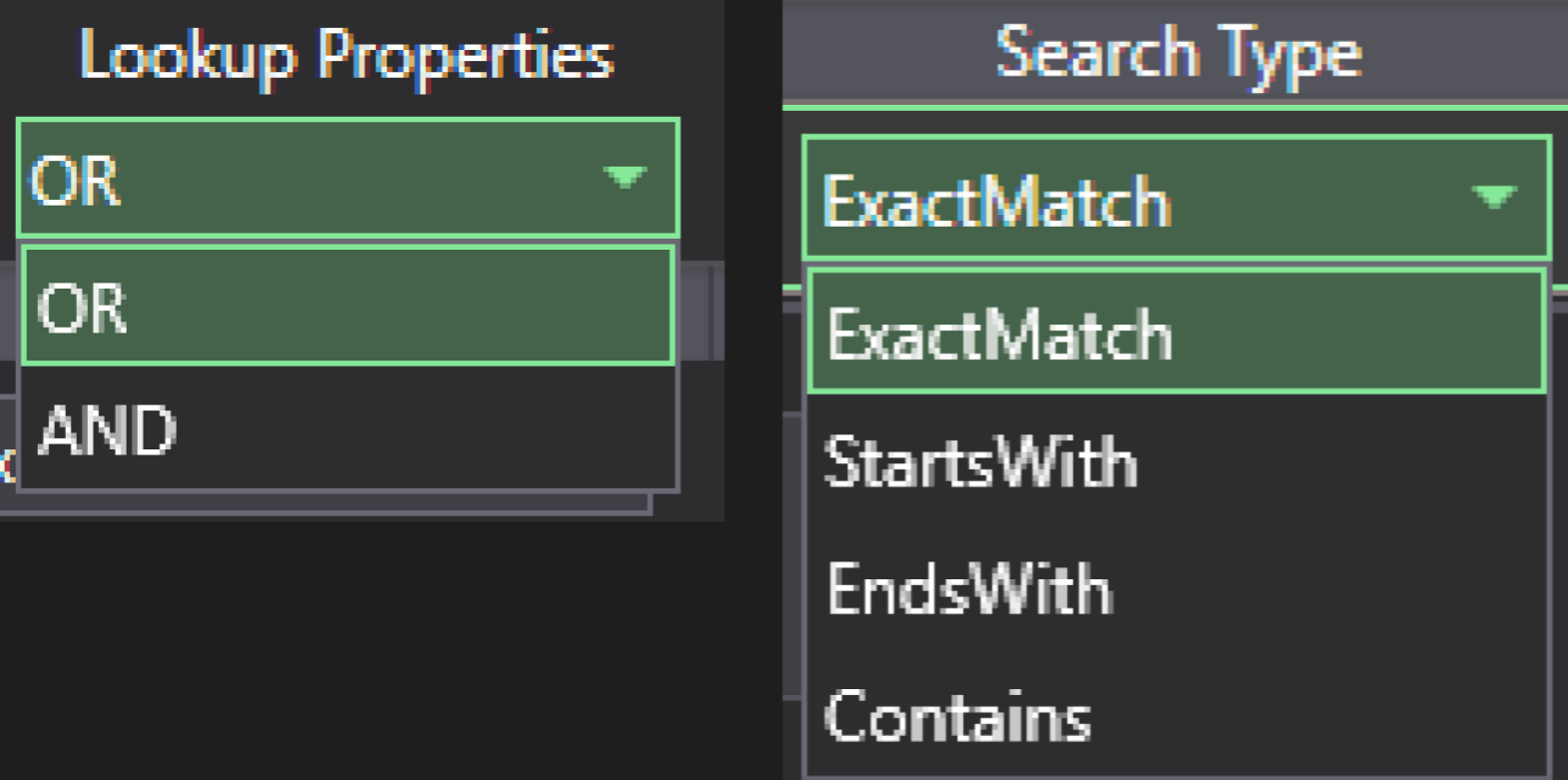
In the lookup properties section, there are 2 configurations. The first one OR/AND is used to determine the logic for if there are multiple lookup properties specified on a game object - with OR being that only 1 of them have to match the criteria and AND being that all of them have to match. The second configuration “Search Type” is for how the value should be searched and what is valid (e.g. maybe we only want an enemy that has a weapon type ending in “axe” so we set Value to “axe” and Search Type to “EndsWith”):
Token Confirmation
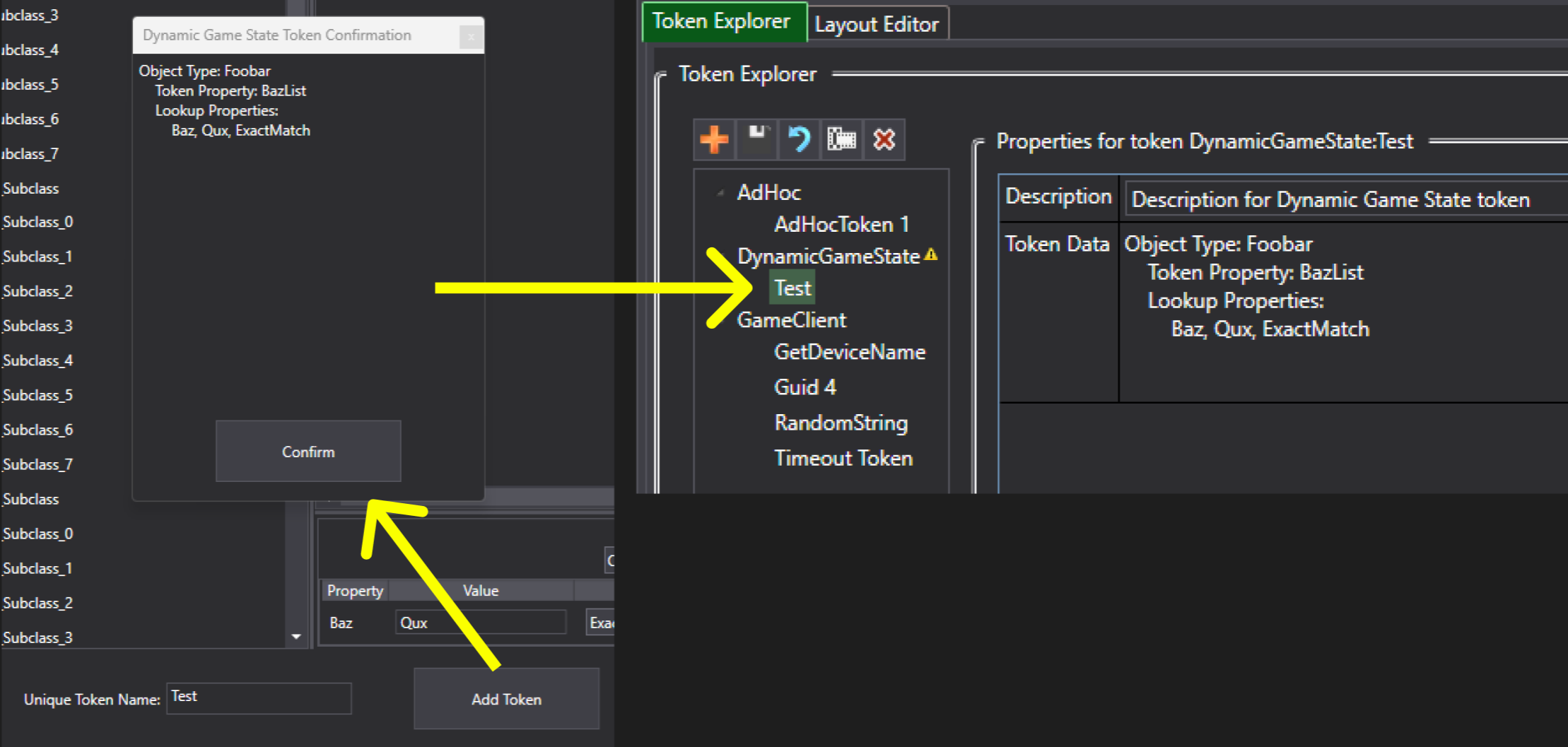
After everything looks good, name the token at the bottom of the creation window and press “Add Token”. A confirmation window will pop up showing the configured data. If it is not configured correctly, it will tell you when you press “Confirm”. Otherwise, the token will be created and show up in the Token Explorer. Note that you cannot edit the token once its created, and to do so requires going through this process again (an edit option is planned going forwards):
Entire Token Creation Process
Below is a gif of the entire token creation process:

Bug Creation
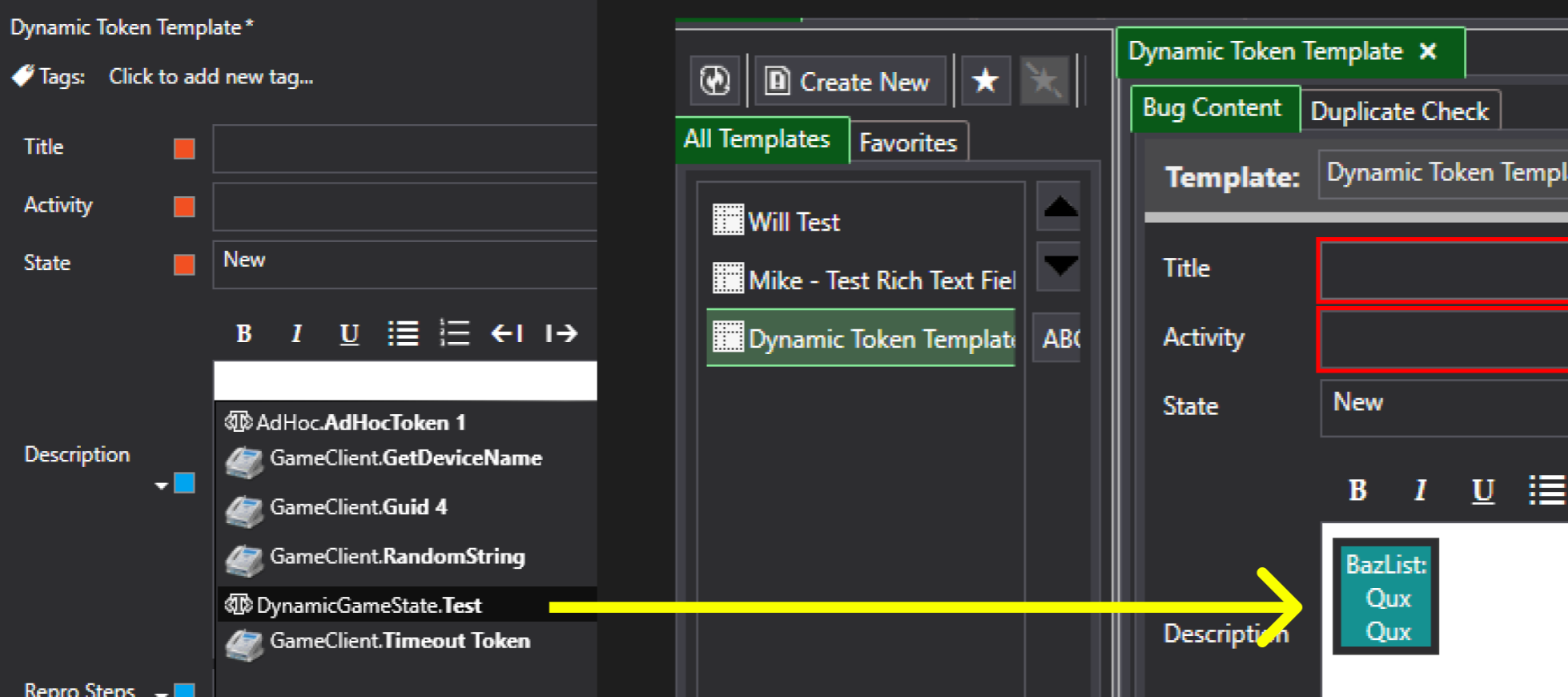
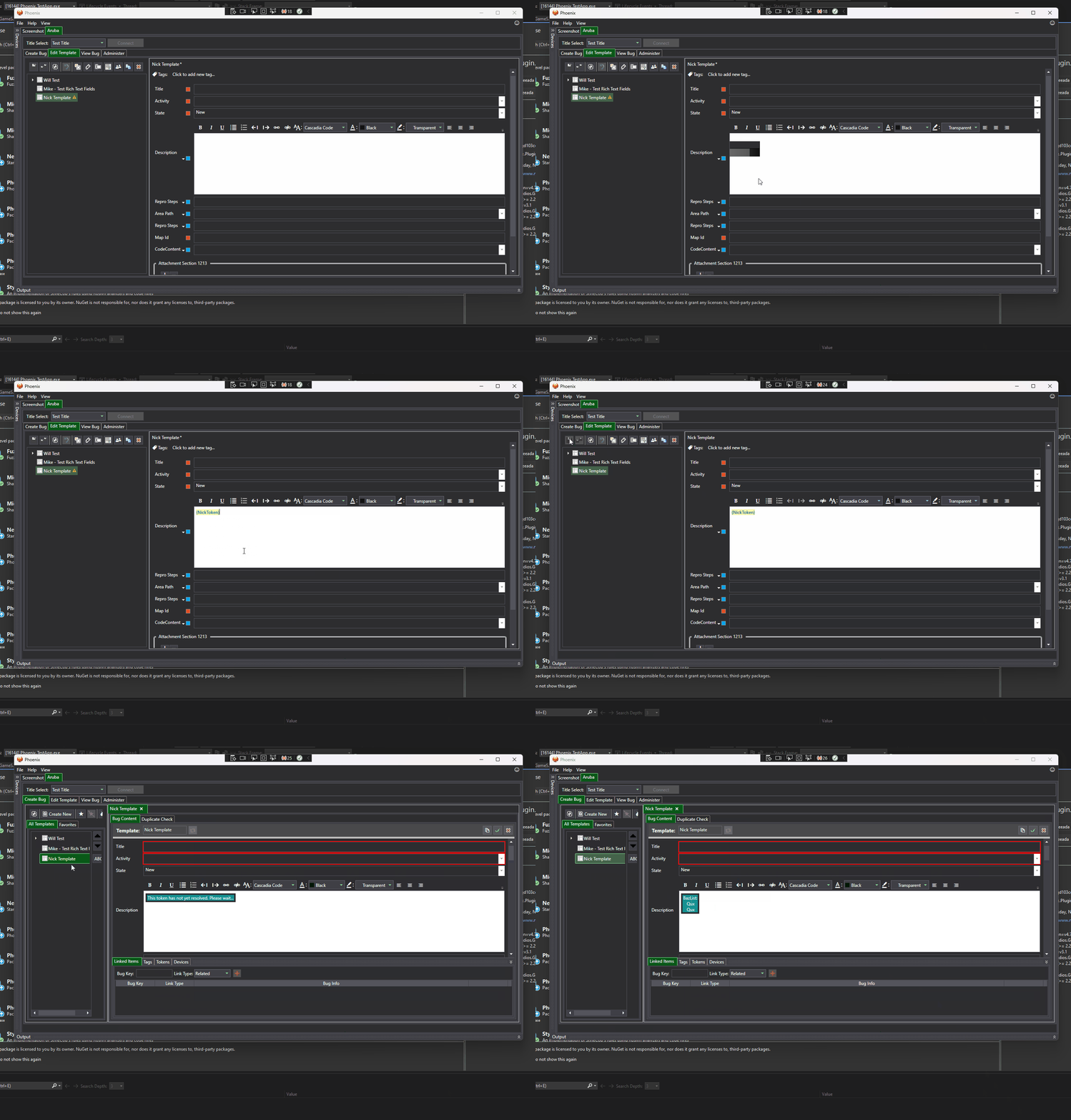
The next step is to create a new bug template with the dynamic game state token (this process is the same as with the other token types). Once that happens, create a bug using that template while the game is running. Upon bug creation, Aruba will pull in game state data behind the scenes and look for the game object that matches the specified token lookup criteria, and if it finds a match then it will display the data we want. Using the example from earlier, upon creating the bug we are looking for a game object of type “Foobar“ with a lookup property “Baz“ that has value “Qux“, and we want to display the data from “BazList“ on it:
Below is a gif of the entire bug creation process:
Editing Dynamic Game State Tokens
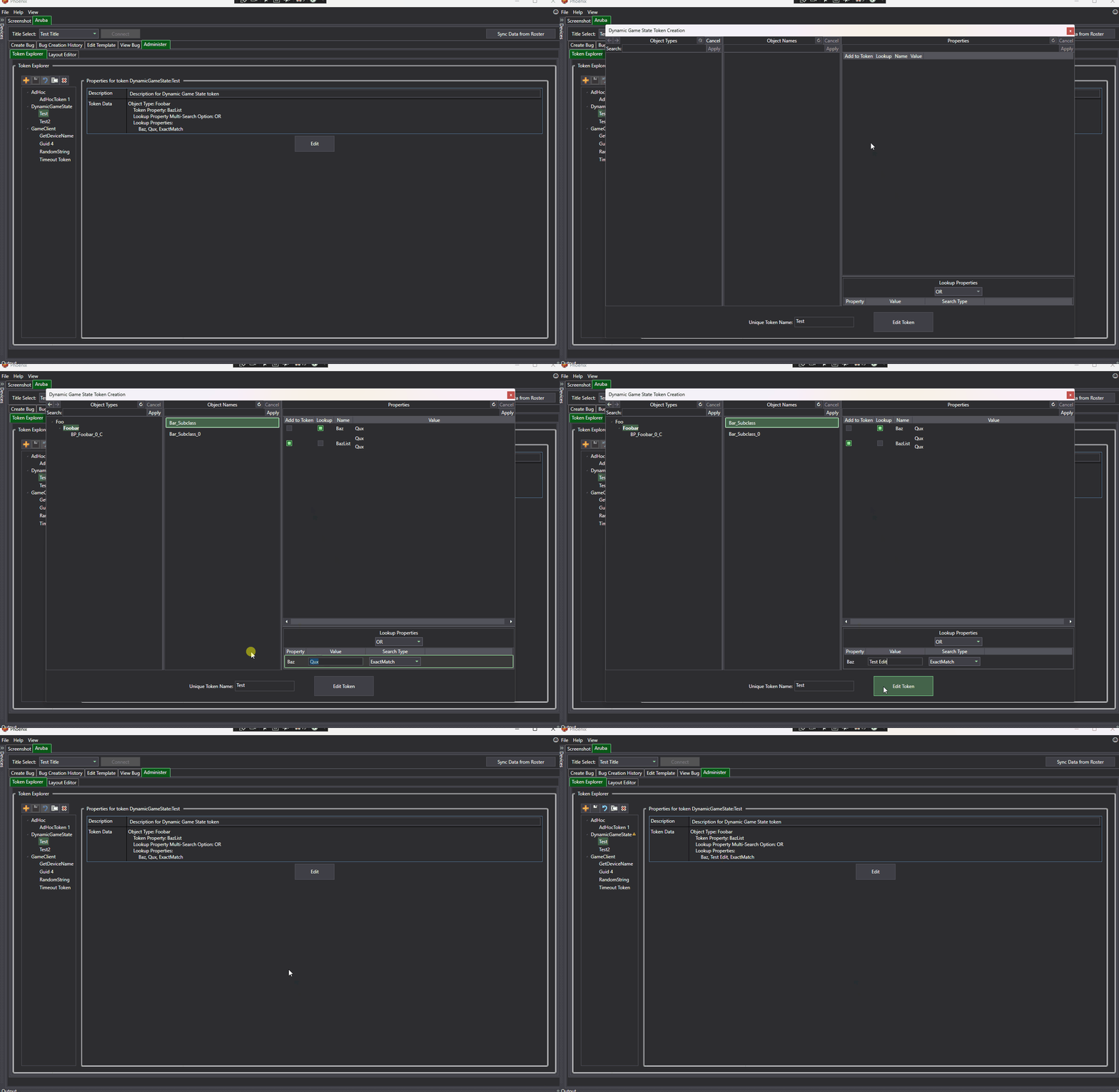
To edit an existing dynamic game state token, select the desired token in the Token Explorer tab and press the "Edit" button. It will then load the existing configuration into the creation window. However, if it fails to load a certain part of the configuration (i.e. cannot find a certain property or object type) then it will notify the user with a warning and still let them edit the token.